
VTech Telephone Instruction Manual: A Comprehensive Guide
This manual provides detailed guidance on VTech telephone systems, covering REN numbers, battery responsibility, and popular models like the VG131-21.
It also explores features such as Eco-DECT technology, intercom functionality (DS6121-2), and managing telephone directories for optimal use.
Understanding Your VTech Telephone System
Your VTech telephone system is designed for reliable communication, incorporating features like DECT 6.0 technology for clear sound and extended range. Understanding the system’s components – handsets, base station, and power adapters – is crucial for proper setup and operation. The REN (Ringer Equivalence Number) is a vital aspect, indicating the maximum number of devices connectable to a telephone line; ensure the total REN doesn’t exceed five.
VTech offers diverse models, including corded/cordless options and those with Bluetooth connectivity, catering to varied needs. Familiarize yourself with the handset’s buttons: talk, end call, speakerphone, intercom, and volume controls. The base station typically houses the charging cradle and call display features.
Furthermore, VTech prioritizes environmental responsibility, as evidenced by the RBRC battery seal, signifying proper battery recycling practices. Exploring the system’s capabilities, from caller ID to speed dial, will enhance your overall experience. Refer to the specific model’s documentation for detailed instructions tailored to its unique features.
REN (Ringer Equivalence Number) Explained
The Ringer Equivalence Number (REN) is a crucial measurement for telephone line compatibility. It indicates the maximum number of devices that can be connected to a single telephone line without compromising service quality. Each device connected to the line possesses a REN value, representing its ringing current draw.
Why is REN important? Telephone companies limit the total REN allowed on a line to ensure adequate power for all connected devices to function correctly, particularly during incoming calls. Exceeding the limit can result in weak ringing, call failure, or other service disruptions.
Typically, the maximum REN allowed is five (5). Therefore, you must calculate the combined REN of all devices – telephones, answering machines, modems, etc. – connected to your line. VTech telephones, like other telecom equipment, have a specified REN value, usually found on the device’s base or in the user manual.
Understanding and respecting the REN limit ensures optimal performance and prevents potential issues with your telephone service. Always check the REN values of your devices and ensure the total does not surpass the limit set by your telephone provider.
RBRC Battery Seal and Environmental Responsibility
VTech demonstrates a commitment to environmental stewardship through its participation in the Rechargeable Battery Recycling Corporation (RBRC) program. The RBRC Seal found on nickel-cadmium (Ni-Cd) batteries within VTech telephones signifies the company’s dedication to responsible battery disposal.
Why is battery recycling important? Ni-Cd batteries contain potentially harmful materials. Improper disposal can lead to environmental contamination and pose risks to human health; The RBRC program provides a convenient and environmentally sound solution for recycling these batteries.
The RBRC Seal indicates that VTech Communications, Inc. actively participates in collecting and recycling Ni-Cd batteries. This ensures that valuable materials are recovered and reused, reducing the need for virgin resources and minimizing landfill waste. Consumers can easily locate convenient recycling drop-off locations through the RBRC website or by contacting VTech customer support.
By choosing VTech products with the RBRC Seal, you contribute to a more sustainable future. Responsible battery disposal is a simple yet impactful step towards protecting our planet and conserving resources for generations to come.
Popular VTech Models: VG131-21 and Beyond
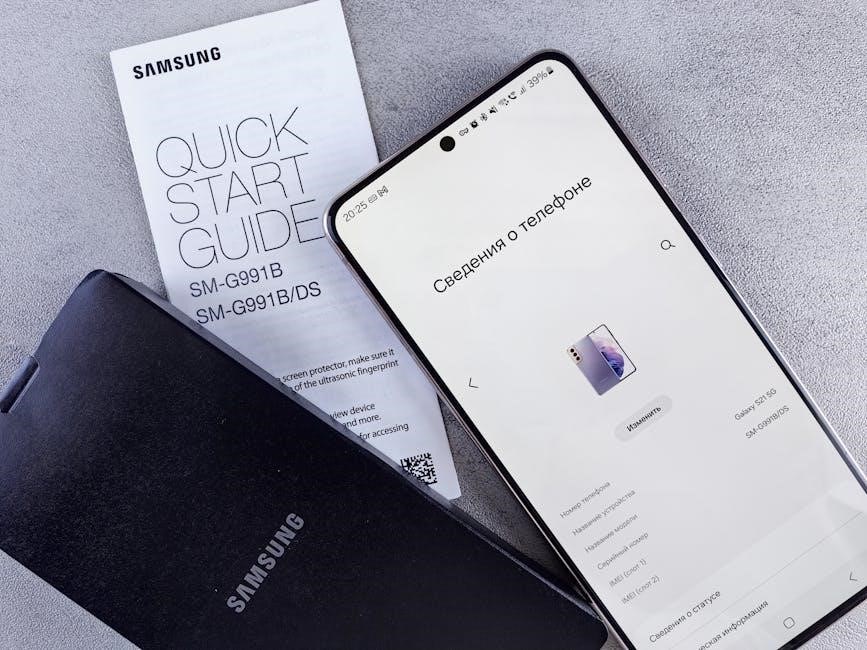
VTech offers a diverse range of telephone models catering to various needs and preferences. The VG131-21 DECT 6.0 2-Handset Cordless Phone stands out with its Bluetooth connectivity, allowing for hands-free calling and smartphone integration. Its blue-white display and large buttons enhance usability, particularly for those with visual impairments or dexterity challenges.
Key features of the VG131-21 include a full-duplex speakerphone for clear, natural conversations, caller ID to identify incoming calls, and easy wall-mounting options for flexible placement. A substantial 1000ft range ensures reliable coverage throughout the home.
Beyond the VG131-21, VTech’s portfolio extends to include models like the AT&T CL83207, a DECT 6.0 expandable cordless phone with a smart call blocker, available in silver/black with two handsets. VTech also historically innovated with products like the ProScreen, adapted from a French electronic projector in 1984, showcasing a history of adapting and improving technology.
VTech continually develops new models incorporating advanced features and user-friendly designs, solidifying its position as a leading provider of home telephone solutions.
Comparing VTech to Competitors: AT&T CL83207

When considering home telephone systems, VTech frequently appears alongside competitors like AT&T. The AT&T CL83207 DECT 6.0 Expandable Cordless Phone presents a strong alternative, particularly noted for its smart call blocking capabilities, a feature increasingly valued by consumers seeking to minimize unwanted calls.
The CL83207, finished in silver/black and supplied with two handsets, offers expandability, allowing users to add additional handsets to cover larger homes or accommodate multiple users. This contrasts with some VTech models that have limited handset capacity.

However, VTech often excels in specific areas, such as Bluetooth connectivity found in models like the VG131-21, a feature not universally available in AT&T’s lineup. VTech’s emphasis on Eco-DECT technology, reducing radiation emissions, also differentiates it, appealing to health-conscious consumers.
Ultimately, the best choice depends on individual needs. The AT&T CL83207 prioritizes call blocking and expandability, while VTech often focuses on connectivity, ease of use, and reduced radiation, offering a broader spectrum of features across its diverse product range.
A Brief History of VTech Telephones
VTech’s journey into the world of electronics began with a fascinating adaptation in 1984. A French company, Ludotronic, created an electronic product with an external projector. VTech skillfully adapted this technology, launching it as the VTech ProScreen, marking an early foray into innovative consumer electronics.
Prior to the ProScreen, VTech had already established itself with the release of its Gamate handheld game console. This demonstrated the company’s willingness to explore emerging technologies and cater to the growing demand for portable entertainment. These early ventures laid the groundwork for VTech’s future success.
However, VTech’s enduring legacy lies in its telephone systems. Over the decades, the company evolved from producing basic corded phones to pioneering cordless DECT technology and, more recently, incorporating features like Bluetooth connectivity and smart call blocking.
VTech’s commitment to innovation, coupled with a focus on user-friendly design and features like Eco-DECT for reduced radiation, has solidified its position as a leading provider of home telephone solutions, continually adapting to meet evolving consumer needs.
Eco-DECT Technology: Reducing Radiation Emissions
VTech has demonstrated a commitment to health and wellness through its innovative Eco-DECT technology. This feature, frequently marketed alongside specific VTech models, actively works to minimize household radiation emissions from cordless phones.
Eco-DECT achieves this reduction through several intelligent mechanisms. A key component is the automatic implementation of sleep-mode functionality on both the handset and the base station. When no active call is in progress, the devices seamlessly transition to this low-emission state, significantly reducing energy consumption and radiated power.

This proactive approach distinguishes VTech from competitors, addressing growing consumer concerns about potential health effects associated with prolonged exposure to radiofrequency radiation. By prioritizing energy efficiency and intelligent power management, Eco-DECT offers a responsible solution.
Furthermore, the technology doesn’t compromise on performance or call quality. Users can enjoy clear and reliable communication while benefiting from the peace of mind that comes with reduced radiation exposure, showcasing VTech’s dedication to both innovation and user well-being.
Basic Operation of Your VTech Telephone
Understanding the fundamental operations of your VTech telephone is crucial for seamless communication. This section outlines the core functionalities to get you started, ensuring a user-friendly experience. Initial setup typically involves connecting the base unit to a telephone jack and a power outlet, followed by charging the handset.
Making a call is straightforward: simply lift the handset, wait for a dial tone, and enter the desired number using the keypad. To answer an incoming call, press the talk button. During a call, utilize features like speakerphone by pressing the corresponding button, enabling hands-free conversations.
Volume control is usually managed via dedicated buttons on the handset, allowing you to adjust the listening volume to your preference. The redial button conveniently allows quick access to recently dialed numbers, saving you time and effort.
Familiarizing yourself with these basic operations will unlock the full potential of your VTech telephone, providing reliable and convenient communication for everyday use. Refer to the model-specific sections for advanced features and customization options.
Telephone Operation Fundamentals
Mastering telephone operation fundamentals with your VTech system ensures efficient and clear communication. Beyond basic call making and answering, understanding key features enhances usability. Caller ID displays incoming caller information, if subscribed to the service, allowing informed decisions about answering.
Call waiting functionality, also service-dependent, alerts you to incoming calls during an existing conversation. Utilizing the flash button allows you to switch between calls seamlessly. The hold function temporarily suspends the current call, allowing you to attend to other matters without disconnecting.
Speed dial programming enables quick access to frequently called numbers, streamlining your dialing process. The phone’s memory stores dialed numbers for convenient redialing. Understanding these features, alongside volume adjustments and mute functionality, provides a comprehensive grasp of core telephone operations.
Proper usage of these fundamentals maximizes the benefits of your VTech telephone, offering a reliable and user-friendly communication experience. Explore your specific model’s manual for detailed instructions and advanced options.
Using the Intercom Feature (Model DS6121-2)
The intercom feature on the VTech DS6121-2 model facilitates convenient conversation between registered handsets within the same system. This eliminates the need for external calls when communicating with family members or colleagues within the home or office.
To initiate an intercom call, simply press the “INT” button on the originating handset while it’s not currently engaged in an external call. The system will then prompt you to select the handset you wish to connect with. This selection is typically done via the numeric keypad.
Once the receiving handset rings, the user can answer the call by pressing the “Talk” or “Answer” button. Clear, two-way communication is then established. The intercom function offers a private and efficient way to connect, bypassing the public telephone network.
To end the intercom call, press the “End” or “Stop” button on either handset. Remember that all handsets must be registered to the base station to participate in intercom calls. Refer to your full instruction manual for detailed registration procedures.
Initiating an Intercom Call
Beginning an intercom call on your VTech system is a straightforward process, allowing for quick communication between registered handsets. Ensure both handsets you intend to use are properly registered to the base station before attempting to connect. This is crucial for the feature to function correctly.
On the handset initiating the call, press the designated “INT” (Intercom) button. This button is typically located on the handset’s keypad. The system will then prompt you to enter the extension number of the handset you wish to reach. This extension number identifies each registered handset within the system.
After entering the extension, the system will begin ringing the selected handset. The receiving handset will alert the user to the incoming intercom call with a distinct ringtone. The user on the receiving end simply presses the “Talk” or “Answer” button to accept the call.
Once connected, both parties can communicate clearly; Remember to consult your specific model’s manual for any variations in the process, as button locations and prompts may differ slightly. Enjoy the convenience of internal communication!
Telephone Number Directories: An Overview
Telephone number directories, both physical and digital, remain invaluable resources for individuals and businesses alike. They provide a centralized listing of contact information, facilitating communication and connection. While digital directories are increasingly prevalent, understanding the principles behind managing telephone numbers is essential, regardless of the format.
VTech telephone systems often incorporate features to assist with number storage and recall. These features can range from simple speed dial functions to more comprehensive phonebook capabilities. Utilizing these features effectively streamlines communication and reduces the need to manually dial frequently contacted numbers.
For businesses, maintaining an accurate and organized telephone number list is paramount. This list serves as a critical component of customer relationship management and operational efficiency. Proper management ensures quick access to vital contacts, improving response times and overall service quality.
Individuals can also benefit from organized telephone directories, simplifying personal communication and providing a readily available record of important contacts. Whether using the phone’s built-in memory or external resources, a well-maintained list is a valuable asset.
Managing Telephone Number Lists
Effectively managing telephone number lists, particularly within a VTech system, is crucial for streamlined communication. Whether handling personal contacts or business clients, organization is key. VTech phones often offer features like speed dial and phonebook storage, simplifying access to frequently used numbers.
Regularly updating your list is essential to maintain accuracy. Remove outdated or incorrect entries to prevent misdirected calls and frustration. Consider categorizing contacts – for example, family, friends, work, or service providers – for easier navigation.
Utilizing the phone’s memory efficiently is important. Many VTech models allow you to assign names to numbers, making identification quicker and more intuitive. Backing up your phonebook, if the model supports it, can prevent data loss in case of a system reset.
For businesses, integrating the VTech phone system with a Customer Relationship Management (CRM) system can further enhance list management. This allows for centralized contact information and improved customer service. Consistent maintenance ensures a reliable and valuable communication resource.
VTech Toys and Educational Technology
Beyond telephones, VTech is a prominent creator of electronic learning toys for children of all ages. Their product line spans baby, infant, toddler, and pre-kindergarten developmental stages, focusing on interactive and engaging tech toys.
VTech’s educational philosophy centers around “learning through play.” Toys are designed to stimulate cognitive development, problem-solving skills, and creativity. Many incorporate age-appropriate curriculum elements, covering topics like letters, numbers, shapes, and music.
The company’s offerings include learning tablets, interactive animals, and early coding robots. These products often feature voice recognition, touch sensors, and colorful displays to capture a child’s attention. VTech consistently updates its toy line with innovative features and educational content.
While seemingly distinct from their telephone business, VTech’s commitment to technology and user-friendly design carries over to both product categories. Both aim to simplify communication and enhance learning experiences, demonstrating a consistent brand ethos.
One-Handset Corded/Cordless Phone Options
VTech offers a range of one-handset corded and cordless phone solutions designed for simplicity and reliability. These models are ideal for individuals or smaller households seeking essential phone functionality without the complexity of multi-handset systems;
Corded phones provide a dependable connection, requiring no charging and functioning even during power outages. VTech’s corded options often include features like caller ID, call waiting, and speed dial for added convenience.
Cordless phones offer greater mobility within a defined range. VTech’s DECT 6.0 technology ensures secure and clear conversations, minimizing interference. Many one-handset cordless models feature large buttons and amplified sound for enhanced usability.
Specific models cater to diverse needs, including options with answering machines, speakerphones, and wall-mountable designs. These phones prioritize ease of use and affordability, providing a straightforward communication solution. VTech consistently balances functionality with user-friendly design in its one-handset offerings.
Troubleshooting Common VTech Telephone Issues
Encountering issues with your VTech phone? Several common problems have straightforward solutions. No dial tone often indicates a connection issue – check the phone line and ensure it’s securely plugged into both the wall and the base unit.
Static or poor audio quality can be resolved by moving the base unit away from other electronic devices or sources of interference. Ensure handsets are within range of the base station.
Handset not registering typically requires re-registration. Consult your model’s manual for specific instructions, often involving pressing and holding a button on both the handset and base unit.
Caller ID not displaying may necessitate verifying your service subscription with your phone provider. Check for software updates on www.vtechphones.com for potential fixes.
For battery-related concerns, ensure proper charging and consider replacing the battery if it’s old or not holding a charge. Refer to the RBRC battery seal information for responsible disposal.
Frequently Asked Questions (FAQ)
Q: What does REN mean? A: REN (Ringer Equivalence Number) indicates the number of devices connected to a phone line; the total REN shouldn’t exceed five.
Q: What is Eco-DECT? A: Eco-DECT technology minimizes radiation emissions by automatically adjusting power levels and utilizing sleep modes when the handset isn’t in use.
Q: How do I use the intercom? A: On models like the DS6121-2, press the ‘INT’ button on the originating handset to initiate a conversation with another registered handset.
Q: Can I expand my VTech system? A: Some models, like the AT&T CL83207 (a competitor), offer expandability. Check your VTech model’s specifications for compatibility with additional handsets.
Q: Where can I find more help? A: Visit www.vtechphones.com for detailed manuals, troubleshooting guides, and customer support resources. You can also find information on battery recycling through the RBRC seal program.

Q: What about VTech’s history? A: VTech initially adapted electronic products, like the ProScreen, and later became a prominent telephone manufacturer, evolving with technologies like DECT 6.0.

Where to Find Additional Support: www.vtechphones.com
VTech’s official website, www.vtechphones.com, serves as a comprehensive resource for all your support needs. Here, you’ll discover a vast library of downloadable user manuals for a wide range of VTech telephone models, including the popular VG131-21 and others.
The website offers detailed troubleshooting guides to assist you in resolving common issues, from call quality problems to handset registration difficulties. Frequently Asked Questions (FAQs) address common concerns, providing quick solutions.
Beyond documentation, www.vtechphones.com provides access to customer support channels, including live chat and email assistance. You can also find information regarding the RBRC battery recycling program, promoting environmental responsibility.
Explore the support section to access warranty information, software updates (if applicable), and accessory purchases. The site also showcases VTech’s broader product line, including their renowned educational toys and technology for children.
For the most up-to-date information and personalized assistance, www.vtechphones.com is your primary destination for maximizing your VTech telephone experience.
Safety Precautions and Important Information
To ensure safe and optimal operation of your VTech telephone, please adhere to the following precautions. Avoid using the telephone during electrical storms to minimize the risk of shock. Do not expose the handset or base station to direct sunlight or extreme temperatures.
Keep the telephone away from water and other liquids to prevent damage. Use only the provided power adapter; using an incompatible adapter may cause malfunction or pose a fire hazard. Regularly clean the telephone with a soft, dry cloth – avoid harsh chemicals.
Regarding battery safety, VTech utilizes nickel-cadmium batteries, covered by the RBRC seal, indicating responsible recycling practices. Dispose of batteries properly according to local regulations. Do not incinerate.
The REN (Ringer Equivalence Number) indicates the device’s contribution to the telephone line’s load; ensure the total REN of all connected devices does not exceed five. This prevents potential issues with call clarity and functionality.
VTech employs Eco-DECT technology to reduce radiation emissions, but maintaining a reasonable distance from the base station is still recommended. Refer to the full user manual for detailed safety guidelines and warranty information.